Advanced messaging: schedule messages, automate reminders and check on your whole team in one go
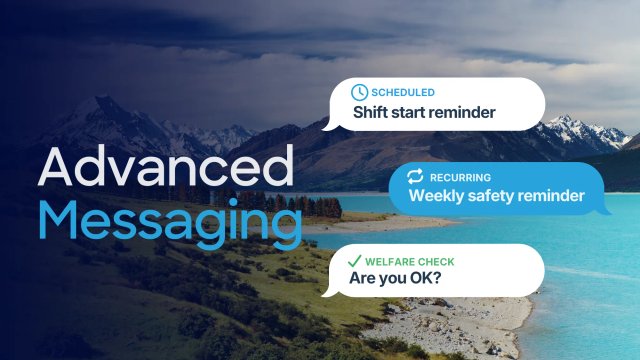

Need to remind your team about a shift start, or check that everyone’s OK after a storm? GetHomeSafe’s new Advanced Messaging add-on lets you schedule messages, repeat them on a recurring basis and send welfare checks. You can reach people by email, SMS, push notification or straight to their GPS devices.
What is advanced messaging?
Advanced Messaging is a new add-on that unlocks the full Mass Messaging system, rebuilt from the ground up. Write a message now and choose when it goes out, repeat it on a schedule, or ask recipients to confirm they’re OK.
Base plan customers keep a simpler version of Mass Messaging: unlimited emails, sent manually, with no scheduling and no welfare checks.
What’s included in advanced messaging?
- Every channel. Send by email, SMS, push notification, or straight to workers’ GPS devices.
- Scheduled messages. Write a message now and choose when it goes out.
- Recurring messages. Repeat daily, on weekdays, weekly or monthly, with an optional end date. Recurring messages can be paused and resumed at any time.
- Welfare checks. Send a message asking recipients to confirm they’re OK within a set time. Anyone who doesn’t confirm in time raises an Overdue alert, which follows your usual escalation, so no one slips through.
- Whole-organisation or whole-account sends. Message whole organisations, or your entire account, in one send. People who belong to more than one organisation only receive one welfare check.
How do welfare checks work?
A welfare check is a message asking recipients to confirm they’re OK within a set time. Anyone who doesn’t confirm in time raises an overdue alert, which follows your usual escalation, so no one slips through.
Customers use welfare checks after an earthquake, storm or other major event, including to workers out of coverage on GPS devices.
Base plan vs advanced messaging
Feature | Base plan | Advanced messaging |
Yes, unlimited | Yes, unlimited | |
SMS | No | Yes, with SMS credits or your own SMS provider |
Push notifications | No | Yes |
GPS devices | No | Yes |
Send messages manually | Yes | Yes |
Scheduled and recurring messages | No | Yes |
Welfare checks | No | Yes |
How are customers using advanced messaging?
- Shift start reminders and end-of-day check-ins.
- Weekly safety reminders or toolbox talk prompts.
- Welfare checks after an earthquake, storm or other major event, including to workers out of coverage on GPS devices.
- Site closures, weather warnings and urgent updates.
Do I need credits to use advanced messaging?
Not for every channel. Sending by SMS needs SMS credits, or your own SMS provider connected to GetHomeSafe. Email, push and GPS device messages don’t need either.
SMS credit bundles and Advanced Messaging are separate, and neither is required for the other to function.
How do I get advanced messaging?
Add it from the Billing page in the web portal, or talk to your account manager. Customers without the add-on keep basic Mass Messaging, with unlimited manual email sends.
Thank you to everyone who tried the rebuilt system during its beta. Your feedback shaped the final version.
Frequently asked questions
Mass Messaging on the base plan means unlimited emails, sent manually, with no scheduling and no welfare checks. Advanced Messaging unlocks the full, rebuilt system, including SMS, push notification and GPS device channels, scheduled and recurring messages, and welfare checks.
Yes, with the Advanced Messaging add-on. Write a message now and choose when it goes out. You can also repeat it daily, on weekdays, weekly or monthly, and pause or resume a recurring message at any time. On the base plan, messages are sent manually.
Yes. You can message whole organisations, or your entire account, in one send. People who belong to more than one organisation only receive one welfare check.
Anyone who doesn’t confirm in time raises an Overdue alert, which follows your usual escalation.
Yes, with Advanced Messaging. You can send by email, SMS, push notification, or straight to workers’ GPS devices.
Only to send by SMS, which needs SMS credits or your own SMS provider. Email, push and GPS device messages don’t need either.
Ready to get started?
If you’d like to add Advanced Messaging to your account, you can do it from the Billing page in the web portal. Prefer to talk it through first? Contact your account manager. If you’re not a GetHomeSafe customer yet, get in touch with our team.
Last updated: 18th November 2026