


across Australia & New Zealand


leaders around the world


across Australia & New Zealand


leaders around the world
leaders around the world
leaders around the world
What is journey management software?
Journey management software is the system that turns a journey management policy into a process people actually follow, planning journeys, assessing risk before departure, requiring approval when needed, tracking progress with scheduled check-ins, and automatically escalating if someone misses one.
It typically includes:
- Route and travel planning before departure
- Risk assessment and approval workflows
- Live GPS and satellite tracking en route
- Scheduled check-ins and rest breaks
- Positive confirmation of safe arrival
- Automatic escalation if a check-in is missed

What is journey management software?
Journey management software is the system that turns a journey management policy into a process people actually follow, planning journeys, assessing risk before departure, requiring approval when needed, tracking progress with scheduled check-ins, and automatically escalating if someone misses one.
It typically includes:
- Route and travel planning before departure
- Risk assessment and approval workflows
- Live GPS and satellite tracking en route
- Scheduled check-ins and rest breaks
- Positive confirmation of safe arrival
- Automatic escalation if a check-in is missed

What is journey management software?
Journey management software is the system that turns a journey management policy into a process people actually follow, planning journeys, assessing risk before departure, requiring approval when needed, tracking progress with scheduled check-ins, and automatically escalating if someone misses one.
It typically includes:
- Route and travel planning before departure
- Risk assessment and approval workflows
- Live GPS and satellite tracking en route
- Scheduled check-ins and rest breaks
- Positive confirmation of safe arrival
- Automatic escalation if a check-in is missed

What is journey management software?
Journey management software is the system that turns a journey management policy into a process people actually follow, planning journeys, assessing risk before departure, requiring approval when needed, tracking progress with scheduled check-ins, and automatically escalating if someone misses one.
It typically includes:
- Route and travel planning before departure
- Risk assessment and approval workflows
- Live GPS and satellite tracking en route
- Scheduled check-ins and rest breaks
- Positive confirmation of safe arrival
- Automatic escalation if a check-in is missed

What is journey management software?
Journey management software is the system that turns a journey management policy into a process people actually follow, planning journeys, assessing risk before departure, requiring approval when needed, tracking progress with scheduled check-ins, and automatically escalating if someone misses one.
It typically includes:
- Route and travel planning before departure
- Risk assessment and approval workflows
- Live GPS and satellite tracking en route
- Scheduled check-ins and rest breaks
- Positive confirmation of safe arrival
- Automatic escalation if a check-in is missed

2.7M+
1.3M+
10M+
SOC2 Type 2 certified. Location is only shared while GetHomeSafe is actively being used to manage a journey, not tracked 24/7.
One process, from plan to home safe
The same journey management policy your organisation already has, just built into a process people actually follow.
Before you leave
-
Plan
Route, transport mode and timing, submitted in minutes.
-
Assess risk
Fatigue, conditions and journey risk assessed up front.
-
Approve
Supervisor approval required before higher-risk journeys can start.
While travelling
-
Travel
Live GPS, satellite and flight tracking across up to six transport modes.
-
Check in
Scheduled check-ins and rest breaks along the way.
If something goes wrong
-
Escalate → Respond → Review
A missed check-in escalates automatically, with everything a supervisor needs in one place, more on this below.
BETA
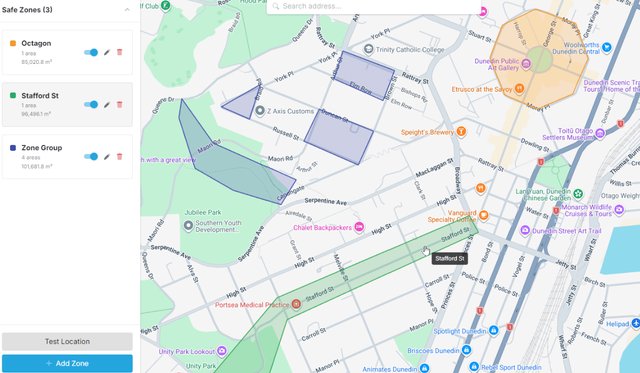
Geofenced Home Safe Zones, fewer false overdue alerts
Home Safe Zones uses geofencing to let you define personal safe zones, like home or a base office, on the web portal map. Arrive at one, and GetHomeSafe automatically prompts you to complete your activity, so supervisors aren't left chasing alerts that were never really overdue.
Set geofenced safe zones on the web portal map for home, base office or any regular end point.
Arriving at a safe zone automatically prompts the user to complete their activity
Fewer false overdue alerts for the person monitoring your team.
Home Safe Zones is currently in beta. To enable it for your organisation, contact product@gethomesafe.com.

Edit, resubmit and favourite, plans that keep up with you
Plans change, and now it's easy to keep up. Save your regular trips as favourites, edit planned activities directly, and get a declined approval back in front of your supervisor without starting over.
Save any configured activity as a favourite, so a regular trip takes seconds to plan next time.
Edit planned activities and saved favourites directly, instead of deleting and recreating them.
If a journey approval is declined, tap the activity and hit "Edit & resubmit" to get it back in front of your approver based on their notes.
Available now on the web portal, app support for Android and iOS is coming soon.
Get in touch to learn more.
Assess risk before departure
Pre-approved and dynamic auto-approval give supervisors oversight without slowing crews down, and every risk level can require approval before a journey starts.
Scheduled check-ins and rest breaks, at intervals matched to journey risk.
Different controls automatically applied to higher-risk journeys.
Escalation the moment a check-in is missed, no one has to notice and call it in.
A record of every approval and review, for your own audit trail.
Out of coverage doesn't mean out of contact
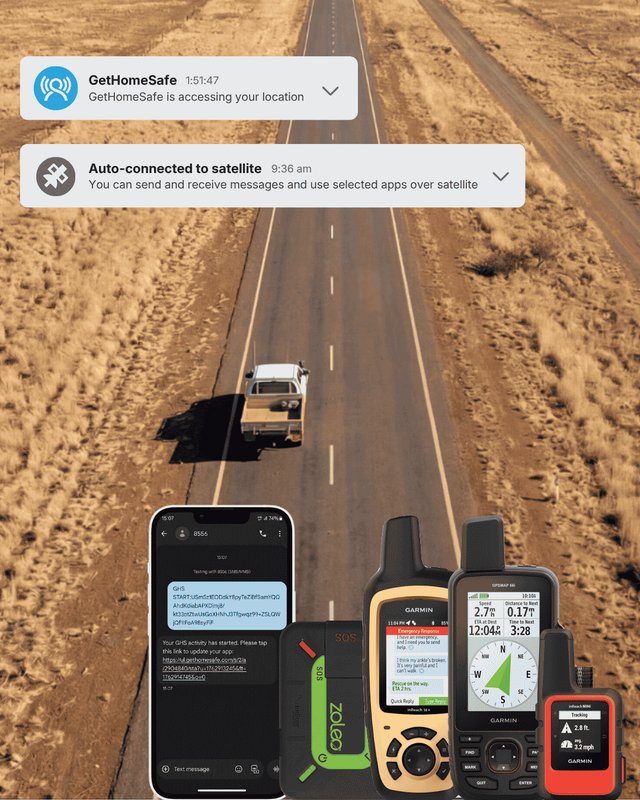
Remote and regional travel is where journey management matters most, in mining, energy, infrastructure and rural work, a dropped signal shouldn't mean a dropped safety net.
Satellite communicators
Starlink SMS, Garmin, SPOT, TrackMe and Zoleo keep two-way contact live in remote areas.
Telematics
Navman-Teletrac, EROAD, Webfleet and Argus feed live location and collision alerts straight into GHS.
Fatigue management
Integrate EROAD or PRISM into your journey timeline and trigger workflows off fatigue events.
Out of coverage doesn't mean out of contact
Remote and regional travel is where journey management matters most, in mining, energy, infrastructure and rural work, a dropped signal shouldn't mean a dropped safety net.
Satellite communicators
Starlink SMS, Garmin, SPOT, TrackMe and Zoleo keep two-way contact live in remote areas.
Telematics
Navman-Teletrac, EROAD, Webfleet and Argus feed live location and collision alerts straight into GHS.
Fatigue management
Integrate EROAD or PRISM into your journey timeline and trigger workflows off fatigue events.
Out of coverage doesn't mean out of contact
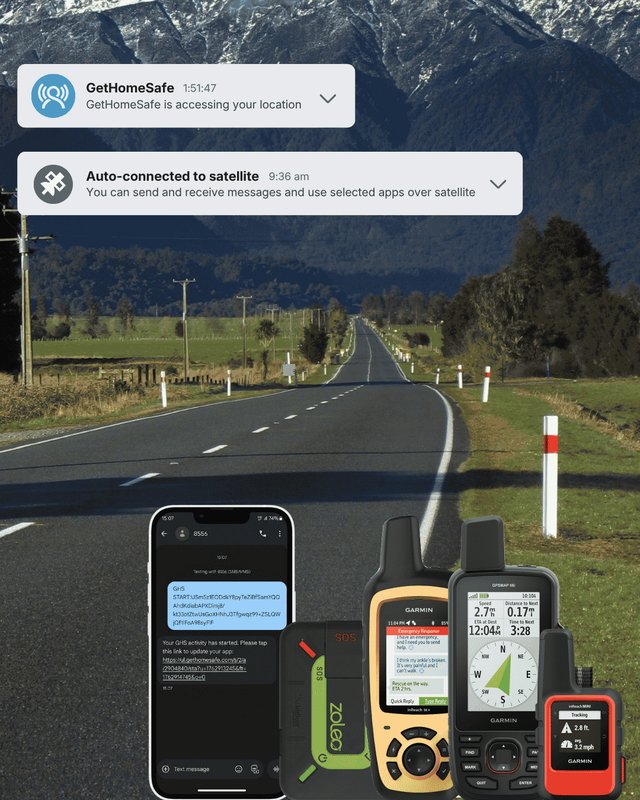
Remote and regional travel is where journey management matters most, in mining, energy, infrastructure and rural work, a dropped signal shouldn't mean a dropped safety net.
Satellite communicators
Starlink SMS, Garmin, SPOT, TrackMe and Zoleo keep two-way contact live in remote areas.
Telematics
Navman-Teletrac, EROAD, Webfleet and Argus feed live location and collision alerts straight into GHS.
Fatigue management
Integrate EROAD or PRISM into your journey timeline and trigger workflows off fatigue events.
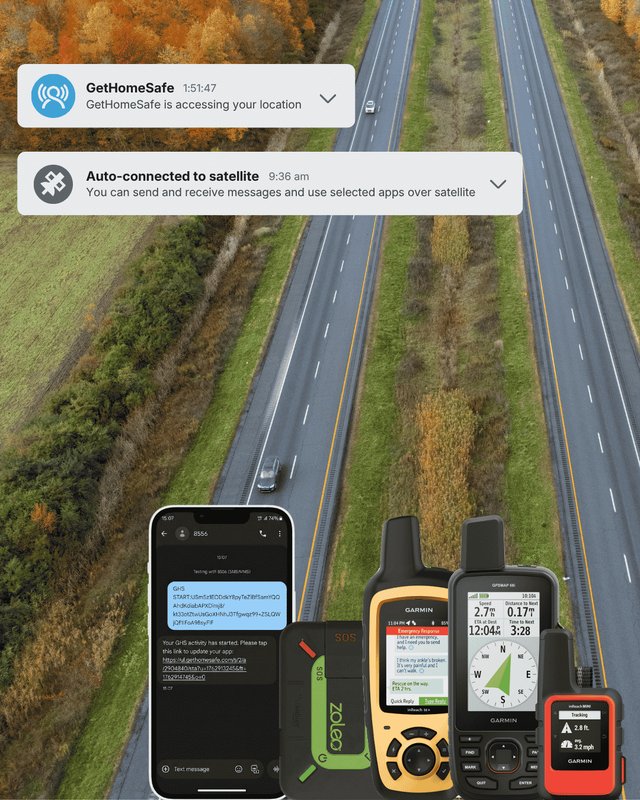
Travelling to sites with patchy signal? Let's talk through your coverage gaps.
Trusted by teams working in the most remote parts of Australia
The Great Barrier Reef Marine Park Authority) manages one of the largest and most remote workplaces in the country, a marine park stretching 2,300km along the Queensland coast, across more than 2,900 reefs and 1,050 islands. Field officers and rangers regularly work alone or in small teams, often well out of mobile coverage.
"The Reef Authority is committed to the health and safety of our staff, whether in the office or in the field. We're enhancing safety through better systems, processes and education. That's why we're supporting Get Home Safe—a tool designed to help our staff stay connected and safe."
Use case: Supporting staff who travel or work remotely in the field
How it's used: Supports their internal Travel-Safe Procedure
What stood out: Bridges cellular and satellite tracking on one dashboard
Join 500+ safety leaders who trust GetHomeSafe to know their people got home safe →


Trusted by lone workers supporting communities across Aotearoa
Epilepsy New Zealand is a national not-for-profit supporting people living with epilepsy across Aotearoa, through a network of regional offices. Their field educators travel throughout their own regions to visit clients, run trainings and provide community support, almost always working alone, often well away from a home base.
"As the CEO of an organisation where the bulk of the team work remotely and are lone workers, GetHomeSafe gives me the confidence that the team have the tools they need to help keep them safe."
— Epilepsy New Zealand
Use Case: Keeping lone-working educators safe while travelling to meetings, trainings and client visits across their regions.
How it's Used: Educators select an activity and estimated timeframe before leaving their home base, with Bluetooth panic buttons adding an extra layer of protection in an emergency.
Outcome: Educators who once felt isolated or anxious travelling alone now report feeling more confident and supported.
Epilepsy New Zealand is one of 500+ safety leaders who trust GetHomeSafe to look after their lone and remote workers, wherever they're based →
Trusted by teams who work alone, wherever they're based
The Reef Authority (the Great Barrier Reef Marine Park Authority) manages one of the largest and most remote workplaces in Australia, a marine park stretching 2,300km along the Queensland coast, across more than 2,900 reefs and 1,050 islands. Field officers and rangers regularly work alone or in small teams, often well out of mobile coverage.
"The Reef Authority is committed to the health and safety of our staff, whether in the office or in the field. We're enhancing safety through better systems, processes and education. That's why we're supporting Get Home Safe—a tool designed to help our staff stay connected and safe."
Use case: Supporting staff who travel or work remotely in the field
How it's used: Supports their internal Travel-Safe Procedure
What stood out: Bridges cellular and satellite tracking on one dashboard
Join 500+ safety leaders who trust GetHomeSafe to know their people got home safe →
Common journey management questions
It can be, journeys are risk-assessed up front, and higher-risk journeys can require supervisor approval before they're allowed to start.
GetHomeSafe automatically escalates a missed check-in, so no one has to notice and call it in themselves.
Yes, you can create your own bespoke risk assessment for specific journeys, including conditions like fatigue. Coming soon: assigning multiple risk assessments to a single journey profile.
You certainly can. With our transport mode selector, you can nominate up to six different modes of transport for the same journey.
Know your team get home safe
Talk to our team about pricing and setup for your organisation.