What Does a Missed Check-In Look Like for Healthcare Workers?

A missed check-in is the moment a healthcare or community worker doesn't confirm they're safe by their expected time, after a home visit, an after-hours call-out, or a drive between clients. It doesn't always mean something has gone wrong. But without an automated system watching for it, that silence can sit unnoticed for hours, turning a manageable incident into an emergency with no one aware.
For lone workers in healthcare, aged care, hospice, and community services, the missed check-in is the single most common early warning sign that a visit hasn't gone to plan. The question isn't whether it will happen, it's how long it takes someone to notice when it does.
What risks do healthcare workers face during home visits?
Healthcare and community workers operate in conditions that most office-based roles never encounter. Every client's home is an unfamiliar environment, and the worker is typically alone with no colleague nearby.
The specific risks include:
- Unpredictable client behaviour. Intoxication, drug use, aggression, or clients with youth-justice or corrections backgrounds can turn a routine visit volatile without warning.
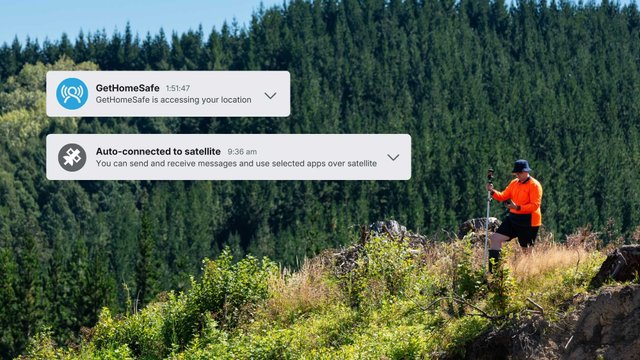
- No coverage when it counts. In rural areas and on remote roads, the moment a worker needs help can be the exact moment their phone has no signal.
- After-hours exposure. Evening, overnight, and weekend care happens when the office is empty and no one is actively monitoring staff welfare.
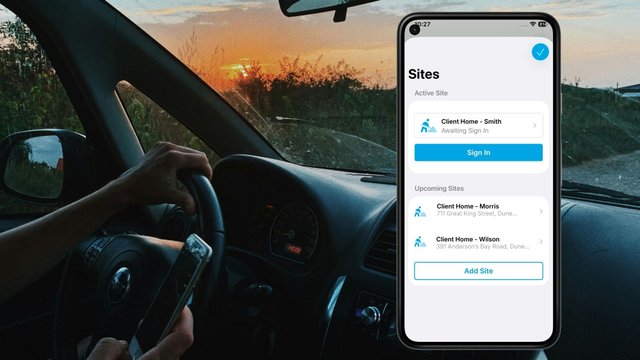
- Travel between visits. Long drives on unfamiliar or poorly maintained roads mean a fall, crash, or medical event can happen far from help.
According to GetHomeSafe platform data, over 2.7 million worker activities have been monitored including across healthcare and community teams, with more than 1.3 million events tracked per month, numbers that reflect how frequently workers including healthcare and community are operating alone in high-risk conditions.
Not sure if your current process covers these risks?
Download the safety checklistWhat does a missed check-in actually look like in practice?
Here's a real-world scenario.
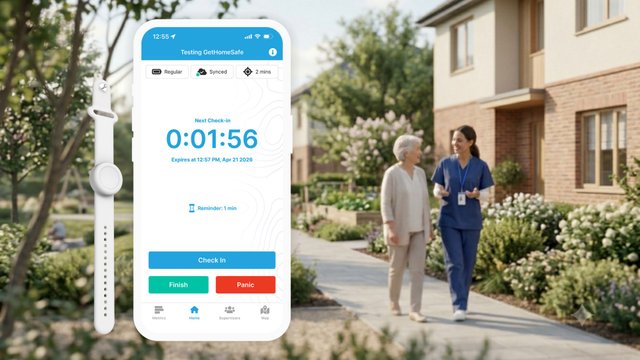
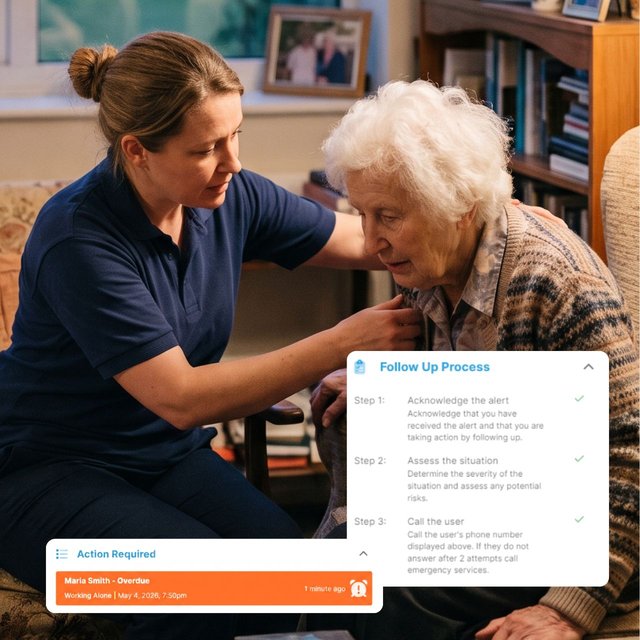
A community nurse, let's call her Maria, has a 7pm home visit with an elderly client on a rural property. She opens the GetHomeSafe app, starts a visit timer for 45 minutes, logs the address, and flags a known hazard (#aggressive history).
At 7:50pm, the app prompts her to check in. No response comes.
In a manual system, a text to her manager, a clock-in spreadsheet, an informal buddy arrangement, that missed message sits there. It might not be noticed until someone checks their phone, or until the next morning when Maria doesn't show up for her first visit. Hours pass in silence.
In an automated welfare monitoring system, the missed check-in is the trigger. The moment the timer lapses without a response, escalation starts on its own: Maria's nominated responder receives an instant alert with her live GPS location, full journey details, the hazard notes she logged before the visit, and her contact information. No one had to be watching a dashboard. No one had to remember to follow up.
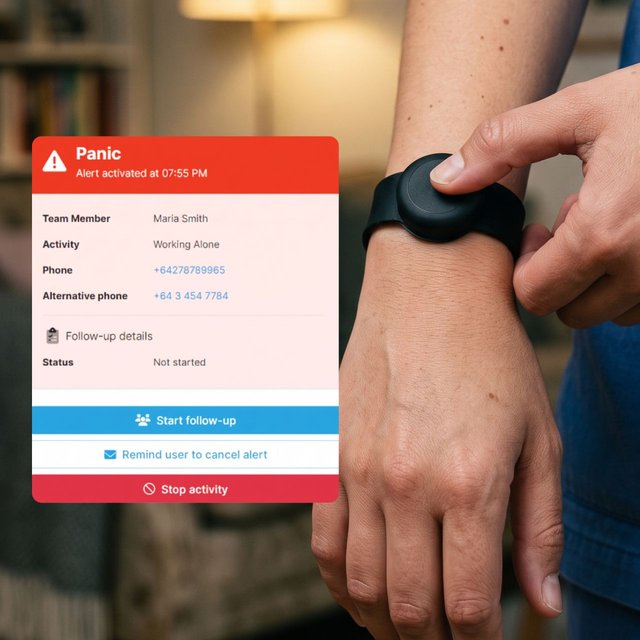
Maria is also wearing a Flic wristband, if the situation had turned threatening rather than silent, she could have triggered a discreet panic alert without reaching for her phone.
Want to see how this scenario plays out live?
Book a demoWhy don't current lone worker safety processes catch missed check-ins?
Most healthcare and community teams use a mix of tools that were never designed for their kind of work: manual two-hourly check-ins, CRM clock-in fields, informal buddy systems, vehicle trackers. None of them were built to notice when a check-in goes missing, let alone act on it.
- Manual two-hourly check-ins by text or phone call
- CRM clock-in/out fields, or Google Forms and Microsoft Teams check-ins
- Informal buddy systems and ad-hoc journey plans
- Vehicle tracking systems like eRoad or Garmin
The problem is that none of these are designed to act when a check-in fails. A missed text just sits in someone's inbox. CRM fields don't trigger escalation. Vehicle tracking tells you where the car is, not whether the person driving it, or outside the car at a home visit, is okay. And nothing runs after hours, which is precisely when many healthcare visits happen.
A lone worker policy only works if something happens automatically when a check-in is missed. That means the system itself needs to notice, escalate to a named responder, and provide enough context (location, journey, hazard flags) for that person to act immediately.
What are discreet alerts, and why do healthcare workers need them?
A missed check-in covers the scenario where a worker can't respond. But there's a second scenario that's just as critical: the worker is aware something is wrong but can't safely say so out loud.
A discreet alert (also called a panic or duress alert) is a silent signal a worker can trigger without anyone around them knowing. It can be activated from inside an app or by pressing a small wearable button, like the Flic Bluetooth button, which integrates directly with GetHomeSafe.
Why does this matter for healthcare workers specifically?
Home visits can turn tense without warning. A client becomes aggressive, or a worker walks into a volatile household situation. In these moments, visibly reaching for a phone or calling for help can escalate the danger rather than reduce it. A discreet alert lets the worker silently send their live location, journey details, and context straight to their nominated responder, without making a sound or drawing any attention.
Together, automated check-ins and discreet alerts cover both halves of the lone worker risk:
Scenario | What happens |
|---|---|
Worker can't respond (fall, crash, medical event, no signal) | The missed check-in escalates automatically |
Worker can respond but can't speak up (aggressive client, volatile situation) | A silent duress alert does it for them |
See how GetHomeSafe is built specifically for healthcare and community teams.
Visit the healthcare & community page
How does GetHomeSafe handle a missed check-in step by step?
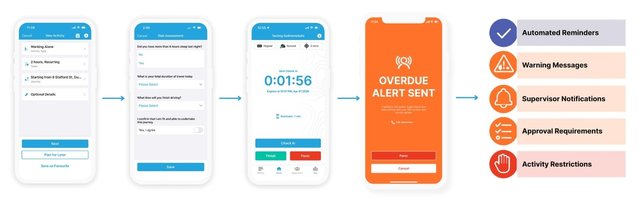
Here's the full workflow for a single home visit, from start to finish:
- Before the visit: Worker starts the timer. The worker opens the app, sets an expected visit duration, logs the address, and notes any known hazards using hashtag flags (e.g. #dog, #aggressive, #rural).
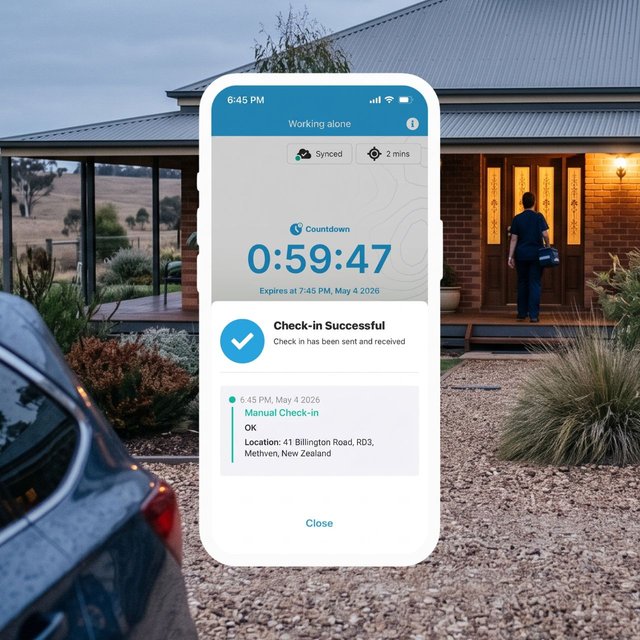
- During the visit: A quick check-in confirms they're safe. The app prompts at the expected time. The worker confirms in one tap, or extends the timer if the visit runs long. No need to call or message anyone.
- If something's wrong: Escalation triggers itself. A missed check-in or a discreet panic alert automatically activates the organisation's escalation plan. No one had to be watching a dashboard.
- Response: The right person gets the full picture. The nominated responder receives the alert instantly, along with live GPS location, journey history, hazard notes, and contact details. They follow the organisation's pre-set response process.
- Check-out: Logged automatically. The worker ends the visit and it's recorded as a clean audit trail for health and safety compliance. No extra forms to fill in.
The entire process is designed to be invisible to managers during a normal visit and immediate when something goes wrong.
See how this works for your team.
Book a demoWhat is the difference between vehicle tracking and lone worker welfare monitoring?
This is one of the most common questions from healthcare and community organisations evaluating their safety processes.
Vehicle tracking (systems like eRoad, Garmin, or fleet GPS) monitors the location and movement of a vehicle. It tells you where the van or car is at any given time.
Welfare monitoring follows the person, not the asset. The moment a worker steps out of their vehicle and walks into a client's home, vehicle tracking loses visibility. Welfare monitoring continues, covering check-ins, duress alerts, and escalation, regardless of whether the worker is driving, walking, or inside a building.
For healthcare workers who spend most of their day moving between client homes, the distinction is critical. The vehicle is rarely where the risk is.
How can healthcare organisations improve their lone worker safety process?
If your current process relies on manual check-ins, informal buddy systems, or vehicle tracking alone, three changes make the biggest difference:
- Automate the check-in and escalation cycle. Replace text-based or phone-based check-ins with timed, app-based prompts that escalate on their own when a response doesn't come.
- Give workers a way to raise the alarm silently. Discreet panic alerts, via app or wearable button, cover the scenarios where speaking up would make things worse.
- Make sure it works after hours and out of coverage. The highest-risk visits often happen in the evening, on weekends, or in rural areas with limited signal. A safety system that only works during office hours or within cell range leaves the biggest gaps uncovered.
GetHomeSafe is purpose-built for this, a single platform across home-visit, after-hours, travelling, and remote teams, with low-coverage and satellite-ready options built in. It's trusted by over 500 safety leaders globally, including Te Whatu Ora (Health New Zealand), St John, and the Department of Conservation.
Frequently asked questions
A missed check-in occurs when a worker doesn't respond to their scheduled check-in prompt within the expected time window, for example, not confirming they're safe by the end of a home visit's set duration.
No. The majority of missed check-ins turn out to be a visit running longer than expected. The purpose of automated monitoring isn't to assume the worst, it's to ensure that if something has gone wrong, someone finds out in seconds rather than hours.
Welfare monitoring is designed to protect workers, not surveil them. Staff control when they check in and out. The system only escalates when something appears wrong, a missed check-in or an alert the worker triggers themselves.
This is a common concern for rural and travelling teams. Purpose-built welfare monitoring platforms offer low-coverage modes and satellite-to-mobile capabilities, available on select devices and mobile plans with no extra hardware required, so the safety net doesn't disappear the moment signal does. For teams in more remote areas, dedicated satellite device options are also available.
Yes. Discreet panic and duress alerts can be sent silently from inside an app or via a wearable Bluetooth button (such as Flic), for situations where speaking up or visibly using a phone would escalate the danger.
Yes. Automated check-ins and escalation run 24/7, which is essential for healthcare and community teams whose highest-risk visits often happen in the evenings, overnight, or on weekends when no one is in the office.
Yes. Timers, risk steps, escalation paths, and responder assignments are configurable to match your organisation's existing lone worker policy and H&S requirements.
Want to see how this works for your team?
See how GetHomeSafe protects your healthcare and community teams, every home visit, every after-hours call-out, every rural road.