


Lone Worker Safety · canada
The safest way to work alone, anywhere in Canada
GetHomeSafe protects lone and work-alone employees for Canadian oil & gas, mining, forestry, utilities, municipal and healthcare-and-community teams, one platform, mobile and satellite, built to meet working-alone requirements.
or download our free Remote Safety Checklist →
leaders around the world





PROVEN IN THE FIELD
Trusted where getting safety wrong isn't an option
Safety, security, and operations leaders across government, infrastructure, and field-services organisations rely on GetHomeSafe every day.
"GetHomeSafe provides team members the peace of mind to perform their job functions while alone, in confined spaces, or elevated with fall protection. We are big fans of GetHomeSafe."
How lone worker monitoring works
Every good lone worker monitoring system does three things: keeps workers connected, watches over them without them having to think about it, and acts when something goes wrong, even if the worker can't.
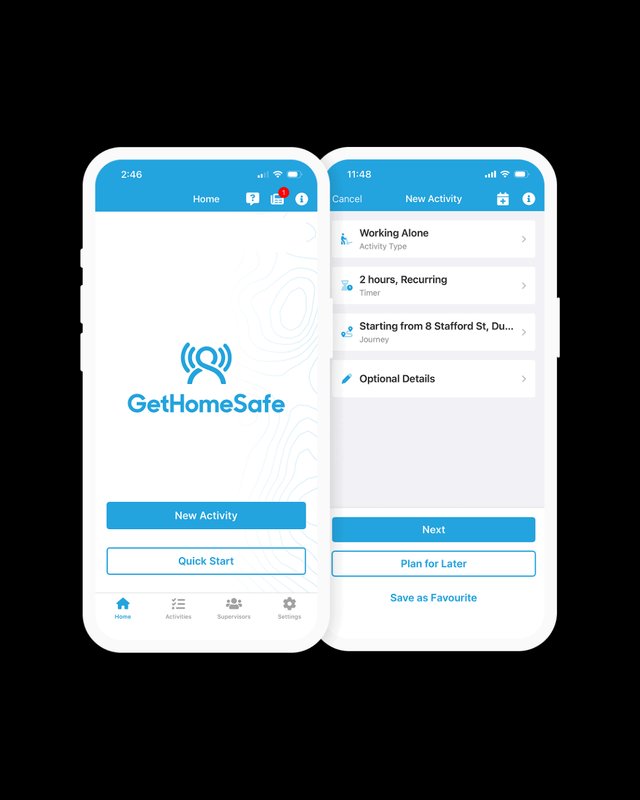
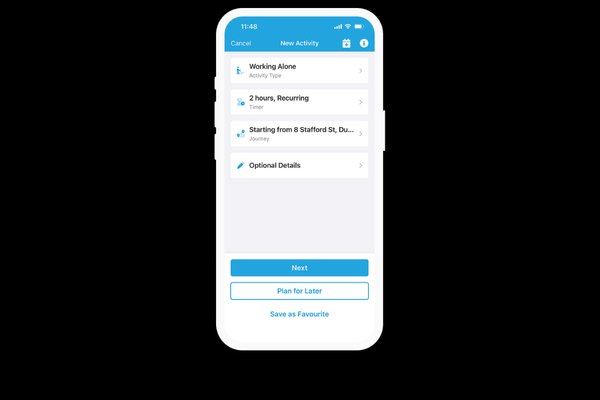
Worker starts an activity
Select the activity type, set the duration, and go, takes less than a minute.
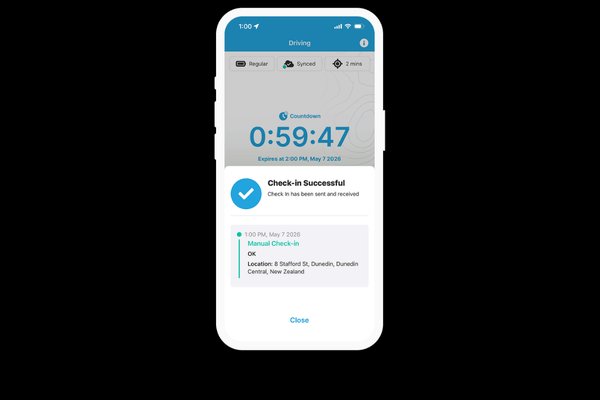
Workers check in through their shift
A quick tap confirms they're safe. Missed a check-in? Escalation starts automatically.
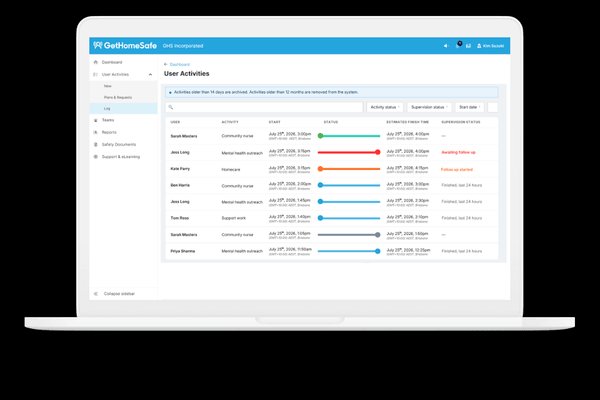
Live dashboard shows every worker's status
One screen for your whole team, see who's active, who's checked in, and who needs attention.
One platform for every lone worker scenario
Automated check-ins
Timed monitoring with instant escalation on missed check-ins
Journey & fatigue management
Plan, approve, and monitor drives from start to finish, with fatigue and telematics signals feeding into the same timeline, critical for long highway and ice-road routes.
SOS panic alerts
One-tap or Bluetooth panic button, routed to the right people instantly
Man-down monitoring
Motion and fall detection with configurable sensitivity
Risk assessments & audit trail
Pre-start checks and full activity log for every session
Works offline & via satellite
Cached check-ins, sat-to-mobile, and dedicated satellite devices
Get a personalized walkthrough of how this could fit your team.
1.3M+
600,000+
20M+
Straightforward per-worker pricing in CAD
Base plan with optional add-ons, tailor your solution to your business needs. Piloting with a larger team? Ask us about our pilot programme.
Get set up right, with a rollout tailored to your team
Work-alone safety software works best when it fits how your team actually operates. Book a demo and we'll walk you through the platform, then design your setup around your shifts, escalation contacts, integrations, and coverage needs.
Step 1
Book a demo
30 minutes to see the platform and talk through your team's needs.
Step 2
We tailor your rollout
Configured with you, to fit your organization's requirements.
Step 3
Workers go live
With training and support through rollout.
Ready to see how it fits your team?
Lone worker & work-alone monitoring FAQs
GetHomeSafe gives every lone or work-alone employee a simple, automated way to check in through their shift, and gives you an audit trail showing every check-in, every alert, and every response. Your safety practices stop living in a policy document and start being enforced by the app.
Yes. When workers move out of coverage, the app caches check-ins and location data, then syncs the moment they're back online. For work with no coverage at all, the North, remote forestry blocks, backcountry mining sites, ice roads, we support two options: satellite-to-mobile with SMS backup (so workers can check in from the phone they're already carrying) and dedicated satellite devices for teams that need more rugged hardware. Because escalation runs server-side, a missed check-in still triggers an alert even if the worker's device has lost signal.
They describe the same situation. "Lone worker" is the more common industry and software term; "working alone" (or "work alone") is the term used in Canadian legislation and the CSA Z1006 standard. A system built for one should cover the other, GetHomeSafe supports both.
Feature parity is close to identical: automated check-ins, live GPS, SOS panic, and man-down monitoring all work on iPhone (iOS 15+) and Android (9+). iPhone adds Apple Watch panic support. Android supports background pairing with third-party Bluetooth panic buttons. Both run reliably in the background, we'll walk your team through battery optimization during setup.
Pricing is per worker, per month, in CAD.
Yes. GetHomeSafe integrates with 20+ devices. Workers can send check-ins and SOS alerts from their satellite device, and those alerts flow into the same dashboard as their mobile check-ins, one system, one workflow.
Yes. GetHomeSafe supports Canadian data residency alongside our AU and UK regions, so Canadian customer data can be held in-region.
Next Steps
Talk to our team about your rollout
Book a 30-minute demo to see the monitoring dashboard, discuss your setup, and get pricing for your team size and requirements.
Not ready to chat yet? Download our free Remote Safety Checklist and share it with your team.
Example eyebrow
Example heading
Example content